Transform Your New or Existing Product Into an ONVIF Conformant Client With Lingodigit's Software for ONVIF Client
Lingodigit provides software for ONVIF Clients, tailored for NVRs and VMSs and client demo applications.
Manufacturers can develop ONVIF Client products quickly by using Lingodigit's Software for ONVIF Client. You do not need to be a developer with ONVIF expertise. Our software provides APIs for ONVIF Client to convert and handle data between clients ( NVRs or VMSs) and devices (IP cameras). Software can be verified via the ONVIF official ONVIF Client Test Tool.
Features:
Easy APIs Integration:
Provide a reference procedure for calling the ONVIF Client services APIs in C, covering tasks such as getting services, changing video encoder settings, and more.
Demo and Free Tool Available with HTTP Digest Authentication:
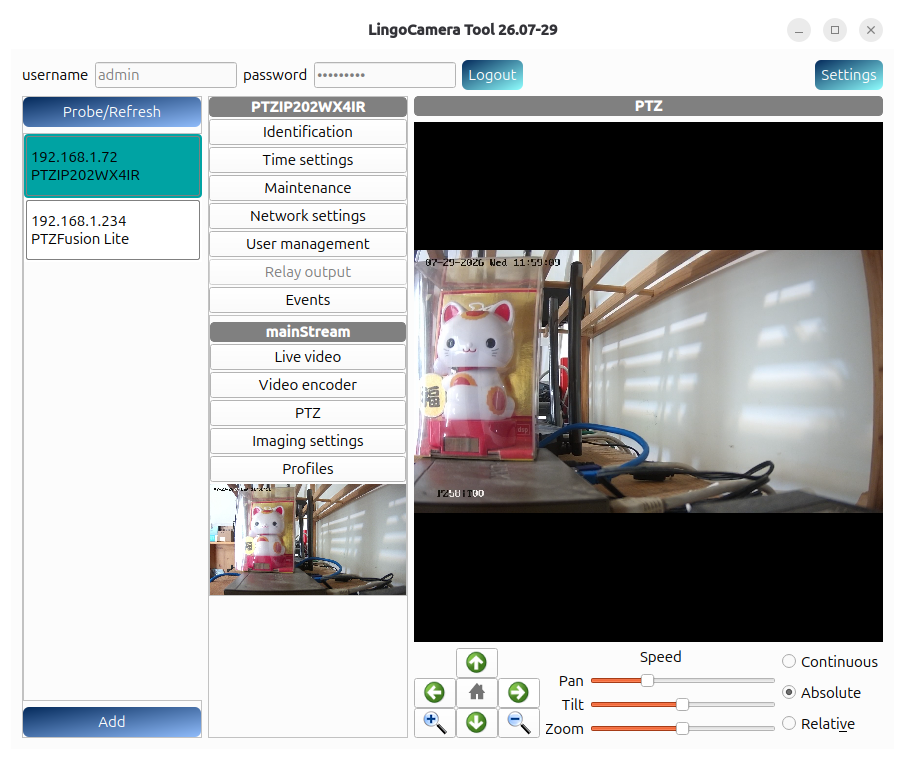
Lingo Camera Tool β an Ubuntu GUI application for managing ONVIF IP cameras.
Linux GUI-less demo version for developers to build solutions with their own GUI or RTSP libraries.
ONVIF Profile Conformance Test:
Have extensive experience with the ONVIF. We provide software customization and firmware integration services to help customers successfully PASS the ONVIF Profile Conformance Test.
Compatibility with ONVIF IP-Cameras:
The LingoClient Procedure is compatible with various ONVIF IP cameras, including AXIS, ACTi, Bosch, and Vivotek.
Easy APIs Integration, Reference Procedure for the ONVIF Client
[ Top ]
We provide an ONVIF Client console application, Lingo Client Procedure, using our client software library and providing intermediary APIs to convert and handle data between ONVIF clients and ONVIF devices.
It is designed with NVR operations in mind and implements numerous common services for NVRs or VMSs with IPv4 and IPv6 support. You can verify the Lingo Client Procedure with the ONVIF Client Test Tool and use it as a reference to build your own ONVIF client easily.
|
Lingo Client Procedure Services:
|
|
|
Devices Discovery
HTTP Digest Authentication for RTSP
Media Service , Video Streaming
Media2 Service, H.265 Video Streaming
Video Encoder Configurations
Event Notification
Motion Alarm
Imaging Service (brightness, contrast, ...)
Network Configuration
PTZ Control. Support absolute, relative and continuous move models, PTZ preset.
MetaData with event, PTZ
Audio and Video Configuration
Video Source Configuration
Video Analytics
Digital (relay) Output
Snapshot
|
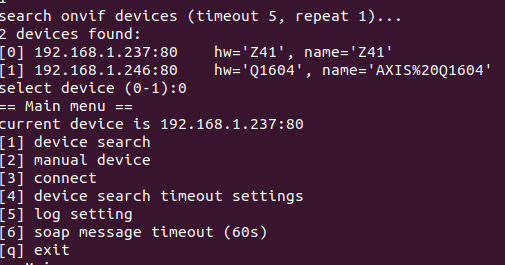
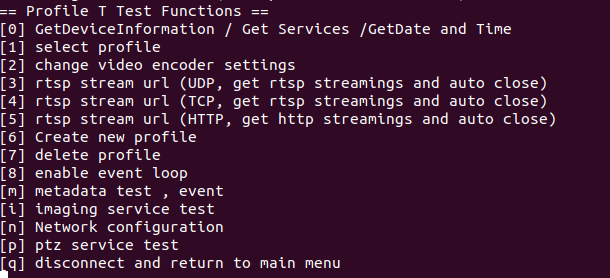
Lingo Client Procedure Operation Menus
|
Please contact us for further information info@lingodigit.com
ONVIF Profile Conformance Test of The ONVIF Client Test Tool
[ Top ]
The ONVIF Client Test Tool is a windows application released from ONVIF that is used for claiming conformance to a profile for an ONVIF client, see ONVIF Client Test Specifications .
We provide software customization and firmware integration services to help and ensure customers successfully PASS the ONVIF Profile Conformance Test.
Lingo Client Procedure implements lots of ONVIF Client common services for NVR or VMS with IPV4 and IPV6.
ONVIF Profile Feature Overview:
Profile S Mandatory items:
Devices Discovery,HTTP Digest Authentication, Video Encoder Configurations , Media service
Profile T Mandatory items:
Devices Discovery,HTTP Digest Authentication, Video Encoder Configurations , Media service, Media2 service (H265 Video Streaming), Imaging Settings, Event Notification, Network Configuration, Motion Alarm and PTZ
Demo Version Available, a Linux ONVIF Application
[
Top ]
Lingo Client Procedure supports the ONVIF client profile S on the Linux console.
Lingo Client Procedure operations sample:
|
| |
| |
|
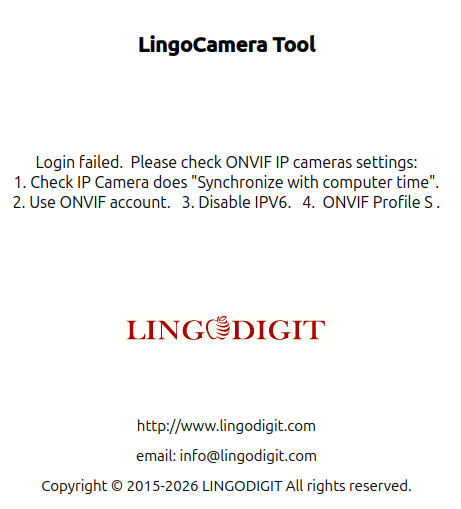
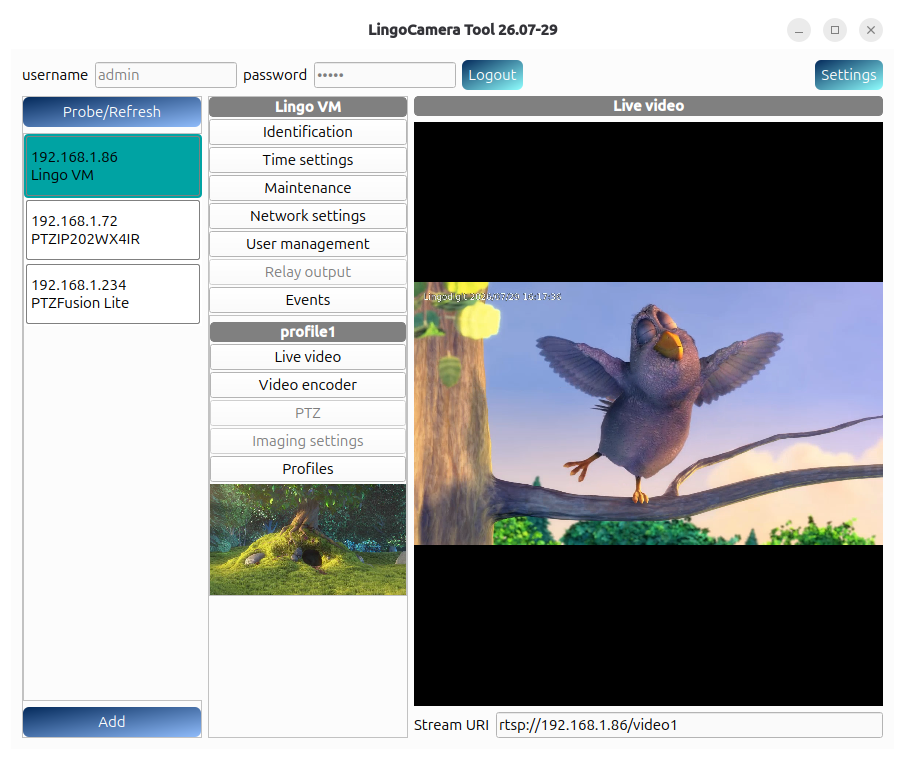
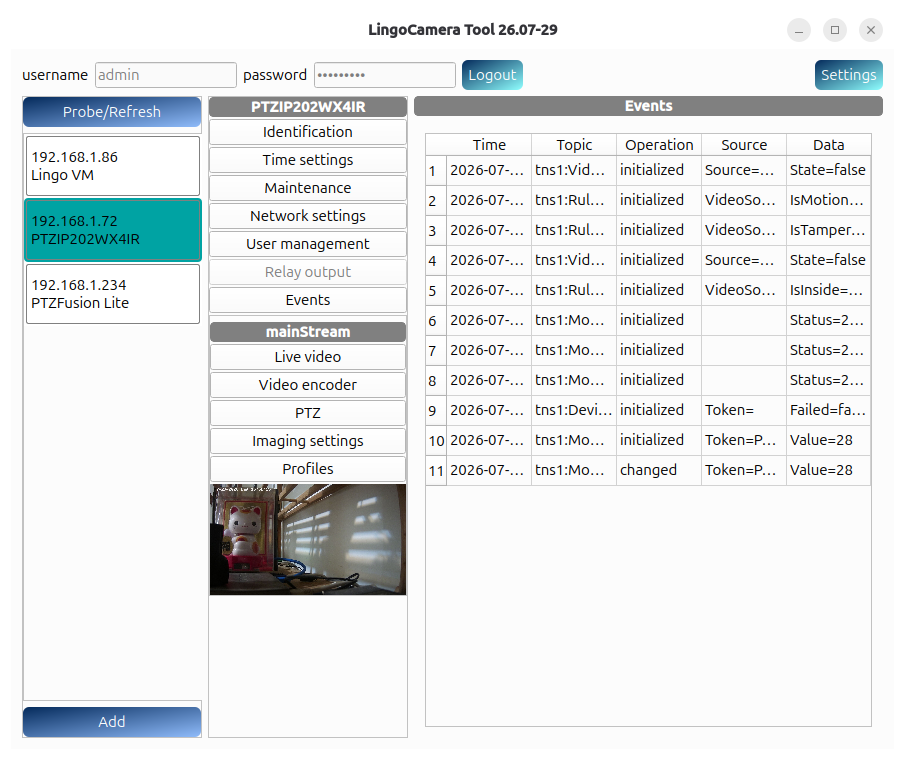
Lingo Camera Tool, an Ubuntu GUI Application for Managing ONVIF IP Cameras
[
Top ]
Lingo Camera Tool is an ONVIF IP camera manager built for Ubuntu 26.04 LTS. Its GUI utilizes Qt6Core (version 10) and GStreamer to demonstrate how to control and communicate with IP cameras through ONVIF and display live video.
 
|
|
Free Download Lingo Camera Tool
Lingo Camera Tool β Brief Introduction pdf
Download Lingo Camera Tool
Install and Based on QT6 ubuntu 26.04
sudo dpkg -i LingoCameraTool-26.07.deb
## Based on QT6 ubuntu 26.04
sudo apt install libb2-1
sudo apt install libqt6core6t64
sudo apt install libqt6quickwidgets6
sudo apt install gstreamer1.0-qt6
sudo apt install gstreamer1.0-libav
Supported :
Device Discovery, Device Management Service,
Media Service, RTSP streaming,
Imaging Settings, Event Service,
PTZ Service, Relay Output, Snapshot
|
| |
Verified And Tested ONVIF IP Cameras:
Lingo Client Procedure verified and tested via ONVIF:
[
Top ]
AXIS P3245-V
Axis M2025-LE (PTZ)
Axis Q1604
ACTi Z41
Bosch DINION IP 7000 HD
Brickcom CB-100AP
Geovision GV-EFD4700
GBO S1080
LTS PTZIP202WX4IR
Hikvision DS-2CD1023
Mozart395s-IMX122
Panasonic WV-NP502
Sony SNC-VB600
Vivotek IP8162
Z3 FV2K-DCK