LingoPi · LingoVM · Profile S · T · G · M

ONVIF Device Reference Design

Evaluate and prototype ONVIF device software on a Raspberry Pi (LingoPi) or in a virtual machine (LingoVM). Use the same software stack as a reference for porting to your own platform.

Raspberry Pi · VM

LingoPi and LingoVM

Two ways to try Lingodigit's ONVIF device software today: real hardware on a Raspberry Pi, or an emulated camera in VirtualBox.

LingoPi or Novatek NT985 series, with Web UI and ONVIF RTSP server

Raspberry Pi ONVIF IP Camera Firmware (LingoPi)

LingoPi turns a Raspberry Pi 3 or above into an ONVIF device. It supports CSI camera modules (5MP / 8MP) and USB cameras, with an integrated RTSP server, H.264 / MJPEG video and G.711 / AAC audio.

  • Software stacks for ONVIF Profile S, T, G and M
  • Implemented: Profile T tampering and motion events, and Profile G RTSP server replay
  • Control, set IP and view live video from an ONVIF NVR
  • Reference for porting to your own platform
  • Low-latency web live video and WebRTC
  • The free demo image has the event service disabled; contact us for an evaluation version with the full event features
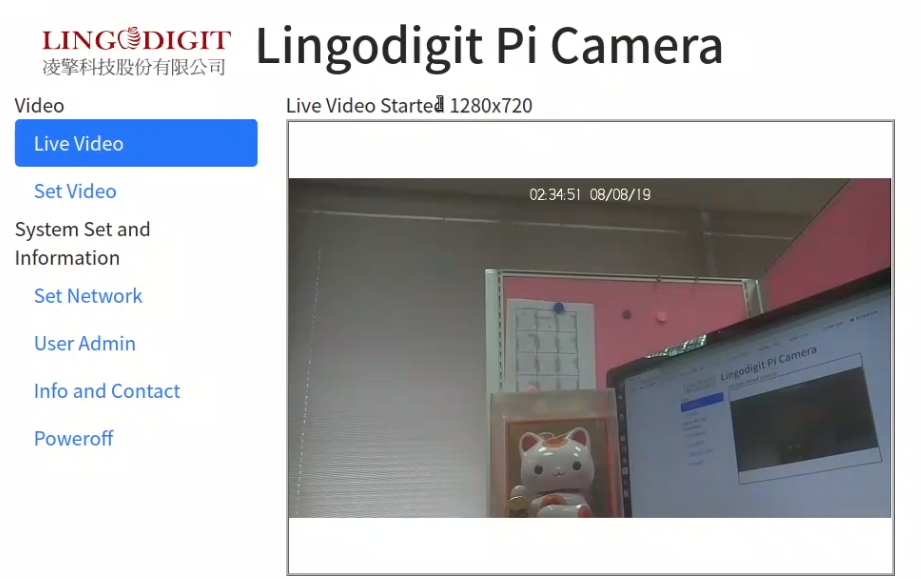
LingoPi Raspberry Pi ONVIF IP camera live video web interface
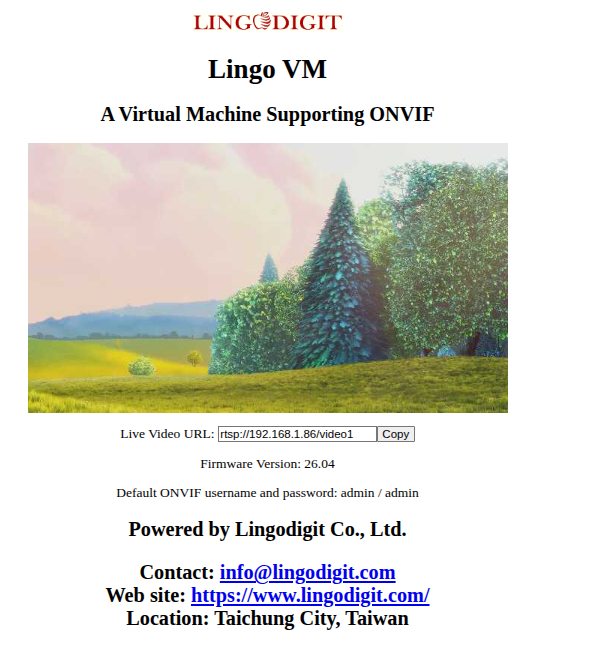
LingoVM VirtualBox ONVIF camera emulator

VirtualBox ONVIF Camera Emulator (LingoVM)

LingoVM is a Linux x86_64 VirtualBox image (256MB RAM, 128MB disk) that emulates an ONVIF Profile S IP camera. Control it from ODM or any ONVIF NVR / VMS, or run the ONVIF Device Test Tool against it.

  • ONVIF Profile S with event service: clients can subscribe to events. The video source is a looped file, so no video-triggered events (such as motion or tampering) are generated
  • Video source is a video file: it is decoded as the simulated source, re-encoded in real time to the video encoder settings applied through ONVIF (resolution, codec, frame rate and more), overlaid with OSD, and sent over RTSP
  • Profile S services verifiable via Device Test Tool
  • Web server with JPEG snapshot live video
  • Default login: admin / admin
LingoPi · LingoVM · LingoCluster

Which one fits your project?

The same Lingo ONVIF core runs on three platforms. They differ in where the video comes from and how many cameras they present.

LingoPiLingoVMLingoCluster
PlatformRaspberry Pi 3 or aboveVirtualBox, Linux x86_64Raspberry Pi 4, Docker
Video sourceReal camera: CSI module or USB cameraOne video file, decoded as the simulated sourceSeveral video files, each prepared with its own codec parameters
Video encoder settings from ONVIFApplied to the live camera streamVideo re-encoded in real time to the settings, with OSDThe clip that matches the settings is served
EventsProfile T tampering and motion events from real videoEvent service with subscription; no video-triggered eventsProfile S / T feature set
Cameras11Up to 64 × 1080p@30 (validated)
64 IPs. One Pi. One cable.
Best forReal-camera evaluation and a porting referenceProfile S verification and single-camera VMS integrationVMS / NVR development, interoperability and stress tests
AvailabilityFree demo image (event service disabled); full version on requestFree downloadSee LingoVM
Free download · On request

Free download or request the demo version

Start with the free images. Contact us for the full versions, other Pi boards or USB camera support.

ProductFree downloadRequest the demo version
LingoPiDemo image: ONVIF Profile S, event service disabledEvaluation version with the full event features, other Pi boards or USB camera
LingoVMONVIF Profile S with event service (subscription supported; no video-triggered events)Other versions

ONVIF Profile S Demo Images – Free Download

LingoPi · Raspberry Pi 3 / 4, Camera Module v1 / v2
LingoVM · VirtualBox, Linux x86_64

Start Your ONVIF Project

Tell us your SoC, target ONVIF profiles and timeline. We'll reply with a porting and conformance plan.

info@lingodigit.com